
It’s been over twelve years since I released mcconfig v0.2 for Synology NAS systems back in April 2014. I’ve now renamed the project to mcconfig Manager and rebuilt it with a completely redesigned web interface and a much broader set of features.
The original mcconfig was a small configuration tool for an already-installed Minecraft server on Synology DSM. The new mcconfig Manager is intended to manage the servers themselves, with support for Windows, Linux and Synology DSM, rather than being tied to the old Synology Minecraft package.
From mcconfig 0.2 to mcconfig Manager
Back in 2014, version 0.2 let you edit server.properties, upload and download maps/worlds, review logs and maintain operator, whitelist and ban files. It also added CraftBukkit compatibility and basic server JAR updating. Those features made administering an existing Synology Minecraft server easier, but the project was still fairly limited in scope.
mcconfig Manager builds on that idea with a modern dashboard for installing, running and maintaining multiple local Minecraft servers. The interface has been reorganised around server creation, configuration, status, files and maintenance tasks, with separate platform-specific installation workflows.
A redesigned interface
The updated design brings server controls and information together instead of relying on a handful of configuration pages. Individual server installations have their own settings and storage, with access to status information, console logs, world files and backups from the web interface.
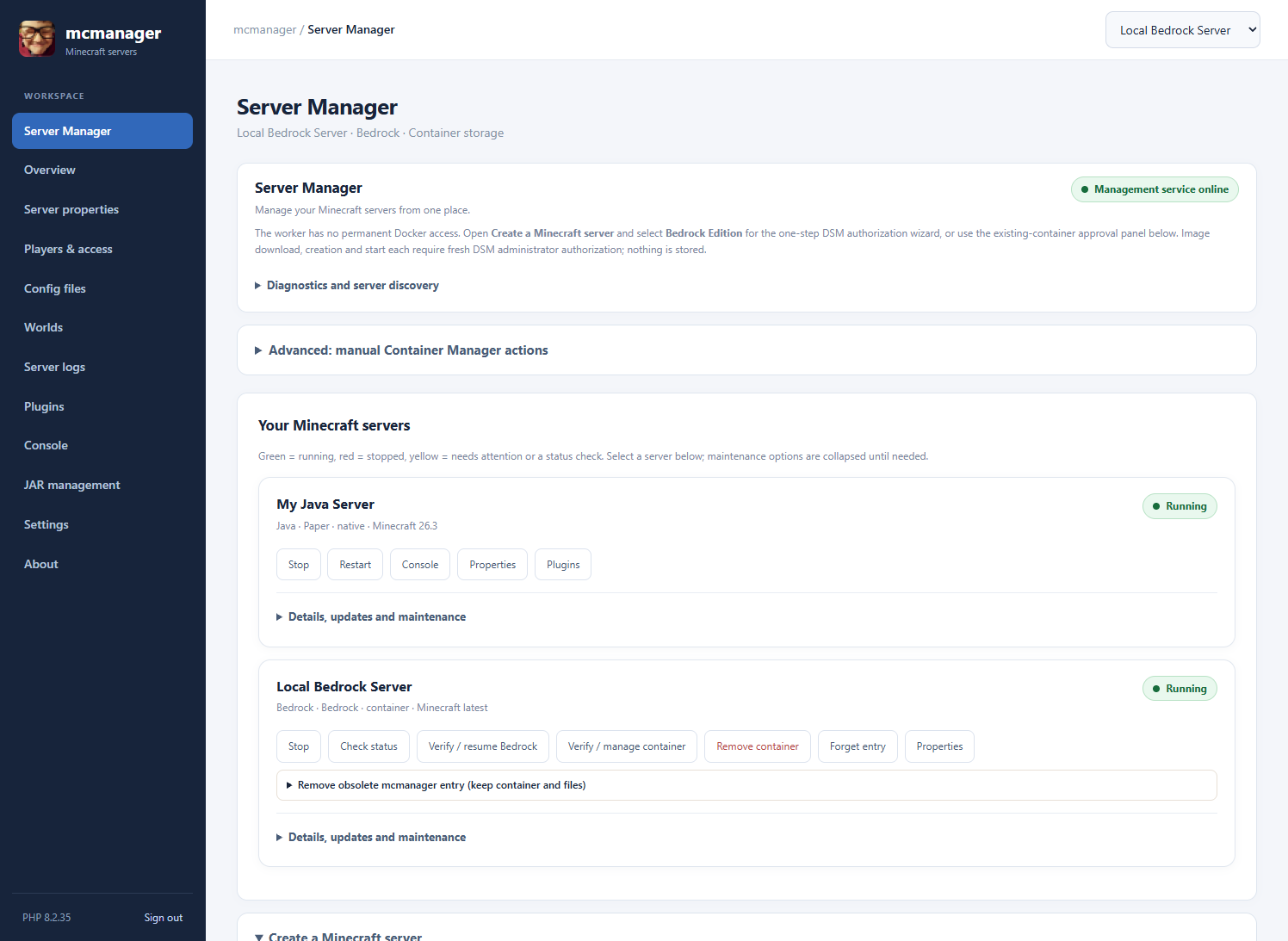
What’s new since v0.2
- Multiple server management: Create and manage independent Minecraft installations through one interface.
- Server deployment: Install supported Java Vanilla/Paper servers and Bedrock Dedicated Server using the appropriate host platform.
- Server controls: Start, stop and monitor servers, view console logs and manage configuration.
- Java management: Detect existing Java installations and install compatible runtimes for Java Edition servers.
- Worlds and backups: Browse server files and worlds, create backups and restore saved data.
- More flexible storage: Choose installation directories on Windows/Linux or discover existing local server installations.
- Background management: Dedicated local worker services and supported recovery options, instead of only editing an externally installed server.
Supported platforms
- Windows (64-bit): Native Java Vanilla/Paper and Bedrock Dedicated Server deployment, with optional Windows Service integration. Docker is not required.
- Linux: Native Java Vanilla/Paper; native Bedrock on supported Ubuntu 22.04+ x86-64 hosts, without Docker.
- Synology DSM 7.2+: Java server management and Bedrock through Container Manager, using one-time DSM authorization where needed.
Downloads — v0.5.28
Windows / Linux: Generic PHP web package with the local worker and Windows Service installation scripts.
Synology DSM: SPK package for installation through DSM Package Center.
mcconfig Manager requires PHP 8.2+ and a local management worker for full server control. Synology installations use Web Station; Container Manager is required for Bedrock. Servers are managed locally on the same host, not remotely across different machines.
For detailed setup instructions and current limitations, see the GitHub README. You can also revisit the original mcconfig v0.2 announcement to see where the project started.